

Preview your Lake Barkley subscription before launch.
Explore the plans, report formats, locations, delivery times, and sample reports below. LCAS is currently in pre-launch testing. Public subscriptions and secure checkout open March 1, 2027. New to LCAS? Learn more about Lake Conditions Authority Service .
Choose your plan
Pick the amount of Lake Barkley coverage you want. The selected plan controls location limits and total daily delivery times.
Preview sample email reports
Open each sample in a new tab to compare the Starter, Angler, and Boater report styles before you finish setup.
Choose report format
Starter uses the Standard report. Navigator and higher can use Angler or Boater formats.
Choose your Lake Barkley locations
Click pins on the map or the location list. Selected locations turn green and show a checkmark.
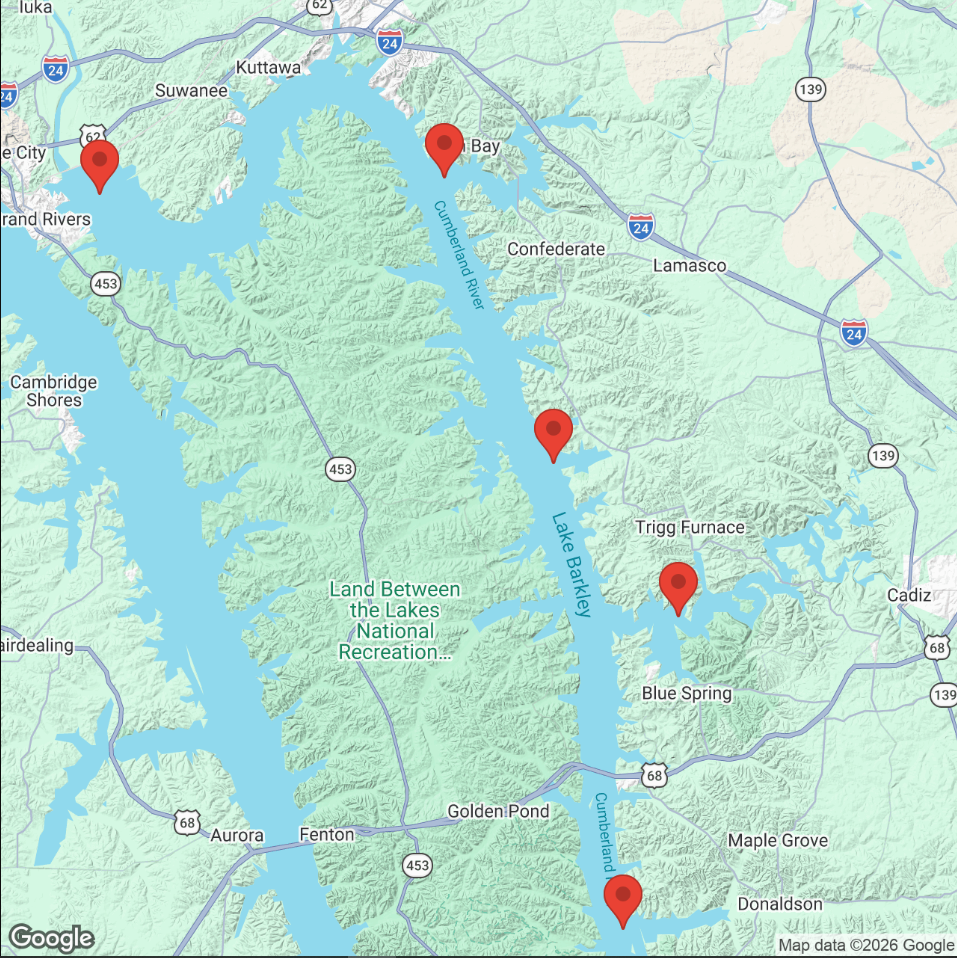 Barkley DamEddy CreekPrizer PointLodgeDonaldson Creek
Click a pin once to select it. Click the same pin again to remove it. You can select fewer locations than your plan allows.
Enter location delivery times
Add each delivery just like the manage page: choose one of your selected locations, choose a time, then press Add Delivery.
Enter contact info
Email is required for activation and delivery. Cell number is optional and ready for future SMS features.
Choose delivery format
Email delivery is available for this launch. SMS options are reserved for future service upgrades.
Review your setup
Preview your Lake Barkley setup now. Public activation and secure checkout open March 1, 2027.